
Booking pages for your services, with real availability, deposits or full payment, and email and SMS reminders.
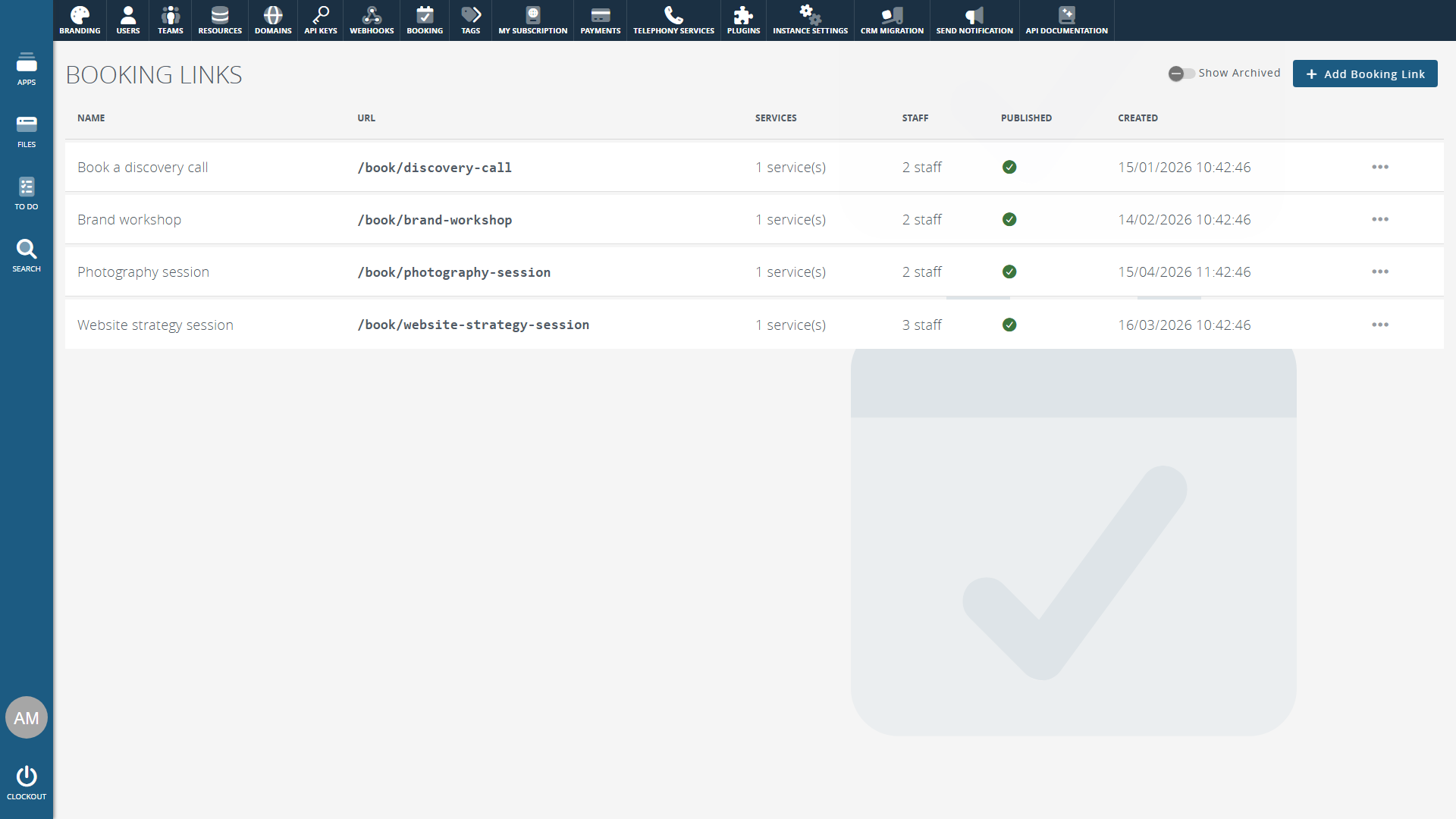
Booking links for your services.
A booking link is a public page where customers book one or more of your services. Choose the services it offers, group them by category, and limit it to the staff you pick. Share the link, or embed the page on your own website.
Create as many links as you need, each with its own address, such as /book/30-min-call. Save a link before it's finished and publish it when it's ready.
Only times that really work.
Customers are only offered times when someone can deliver the service. Working hours, holidays, existing appointments, your minimum notice and how far ahead people can book all apply. Set the gap between start times, then use the live preview to check what customers will be offered.
Rooms and equipment too.
A service can need a resource, such as a treatment room or a piece of equipment. Add every room that will do, and each booking takes whichever one is free. Leave resources out when only the person is needed, such as for an online meeting.
Take payment when they book.
Let customers book for free, pay a deposit, or pay the full amount up front. A deposit can be a fixed amount or a percentage of the price. Card payments go through Stripe on your own account and are paid out to your bank. Clockwork CRM's platform fee is a percentage of what you take, less refunds, and is added to your monthly invoice.
Confirmations and reminders.
Customers get a confirmation email when they book, and an email if a booking is moved or cancelled. Use the built-in emails or your own templates. Add up to 10 reminders by email or SMS. The calendar invite goes to the customer and the staff member, with a Teams or Google Meet link if you want one.
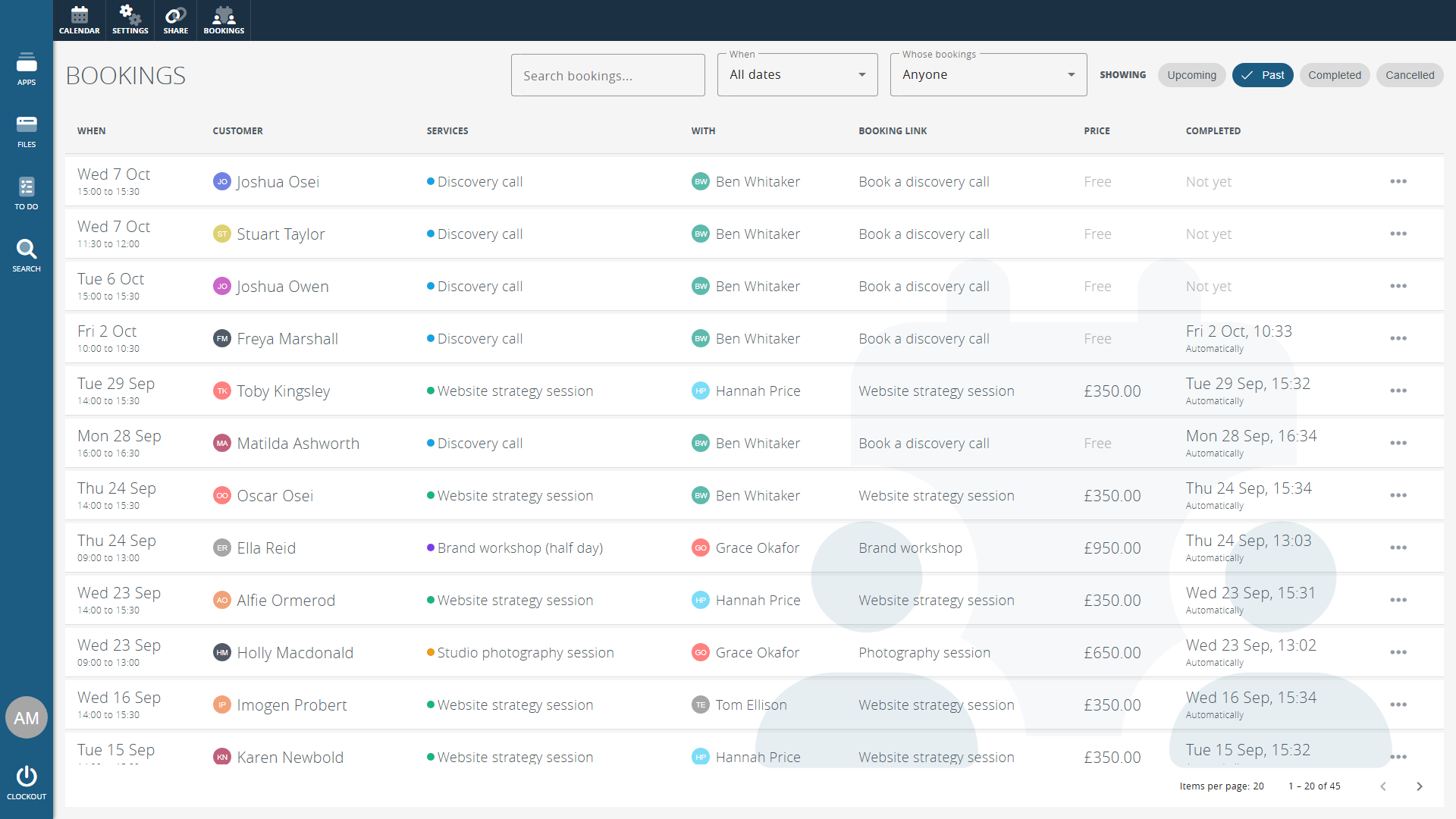
Every booking in one list.
The Bookings list in the calendar shows who booked, what for, who with, the price and what has been paid. Filter by date, by staff member, or by upcoming, past, completed and cancelled. Move a booking and the customer is emailed their new time. Cancel one with a reason, or mark it as complete.
Line managers see the bookings of the people they manage, and administrators see everyone's. Bookings also show on the calendar and on the customer's contact record.
Customers can change their plans.
Let customers cancel or move their own booking, up to a cutoff you set, and show them your cancellation policy alongside. Or turn it off and handle changes yourself.
Your brand on every page.
Booking pages use the logo and colours from your branding, or a logo and colours of their own. Send customers to a page of your choice once they've booked, or show the confirmation.
Automations for every step.
Run automations when a booking is made, paid for, rescheduled, cancelled or completed. Ask customers to fill in an intake form after they book. Appointments can be marked complete automatically when they end, or by your staff once they've happened.
Full access for 14-days, get started today.
No credit card required.