
Every email, call, meeting, note, and deal - unified in one timeline per contact.
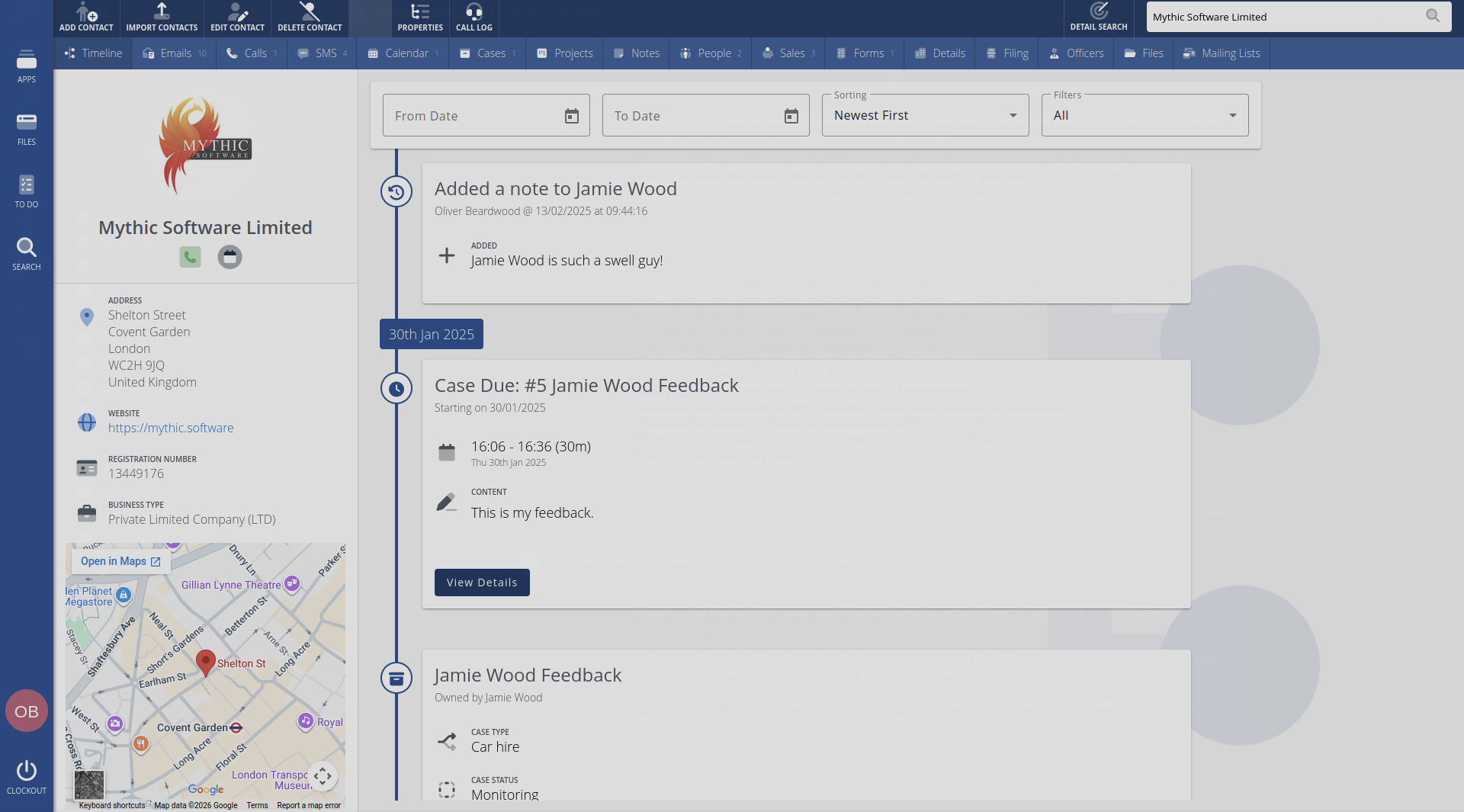
The timeline. Your complete relationship history.
Every interaction with a contact - emails sent and received, phone calls with playback, SMS messages, calendar events, cases, sales opportunities, project links, form submissions, notes, and file uploads - all in one chronological feed.
Filter by type, search by date range, and scroll through the full history.
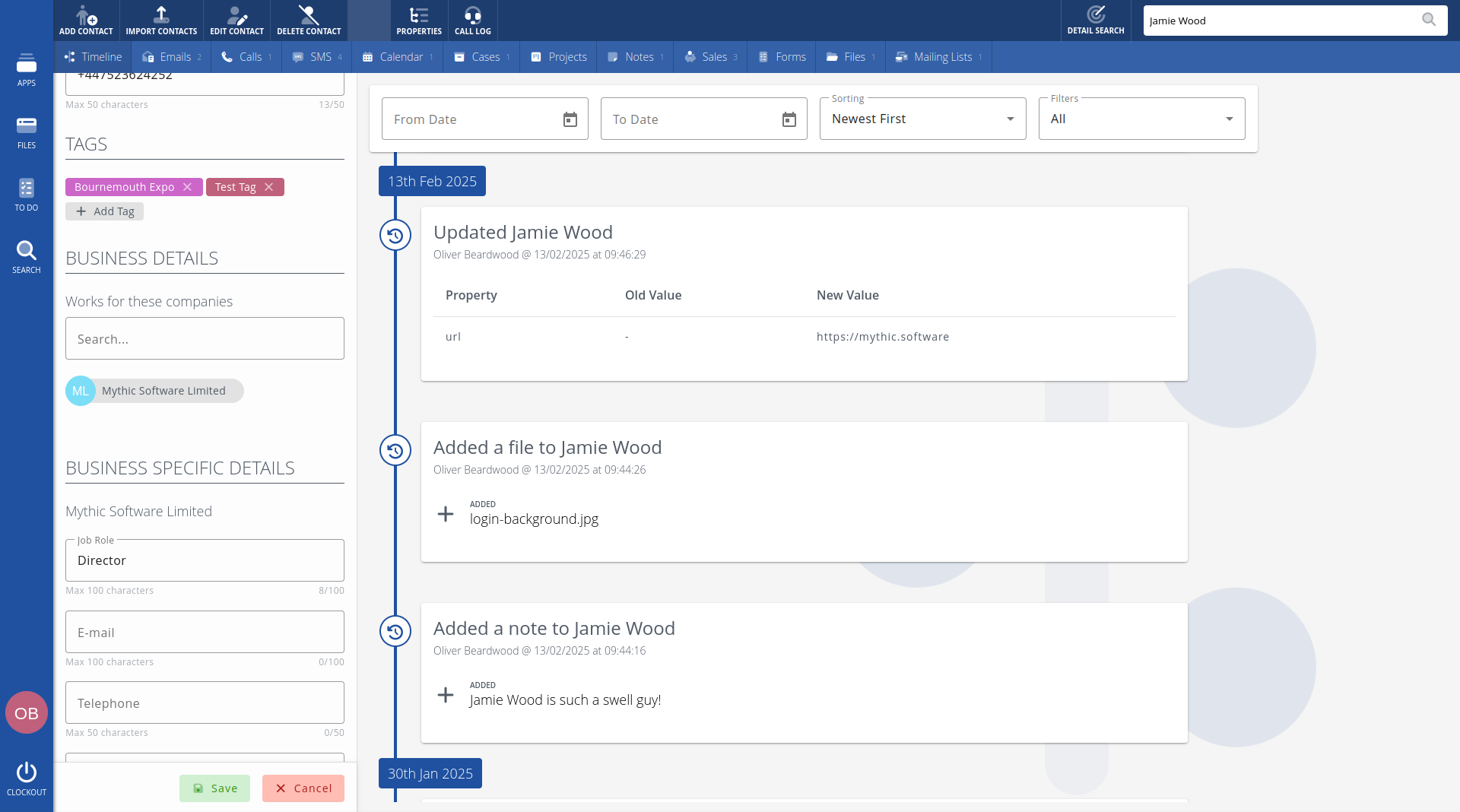
People and companies, properly linked.
A person can work at multiple companies, each with a different job title, email address, and phone number. Clockwork CRM tracks these relationships so you always know who works where and how to reach them.
When someone moves companies, update the relationship - their history stays intact.
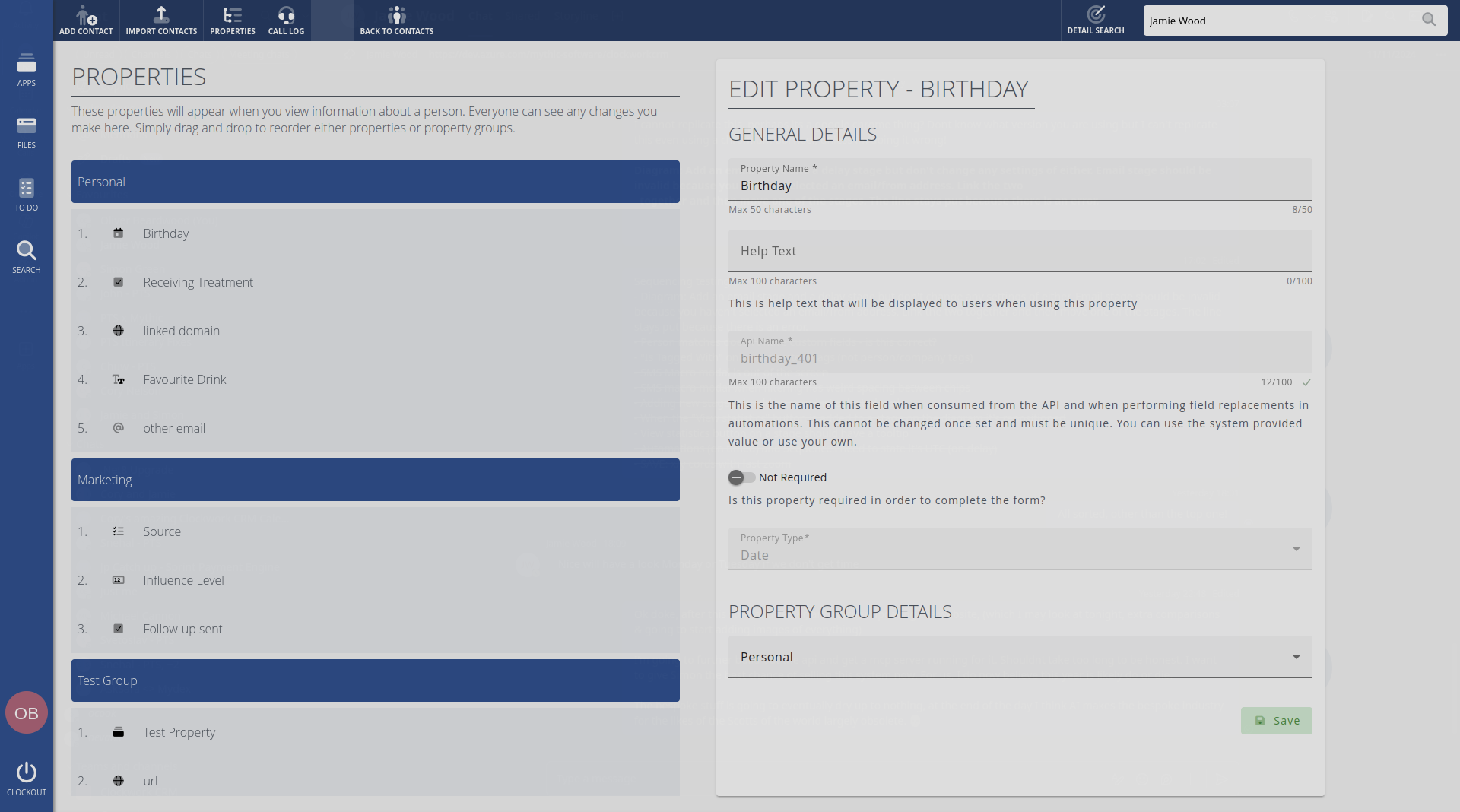
Custom fields grouped your way.
Create as many custom fields as you need, organised into named groups. Choose from 14 field types: text, number, email, phone, URL, date, currency, select, multi-select, radio, checkbox, multi-line, and relational fields that link to other users, people, or companies.
Validation rules keep your data clean.
Power dialer.
Build a call list from any search, then dial through contacts automatically. Clockwork CRM connects each call in your browser, records both sides, and links the recording to the contact.
When the call ends, the next contact loads with a countdown. Skip, pause, or stop at any time. Requires telephony services.
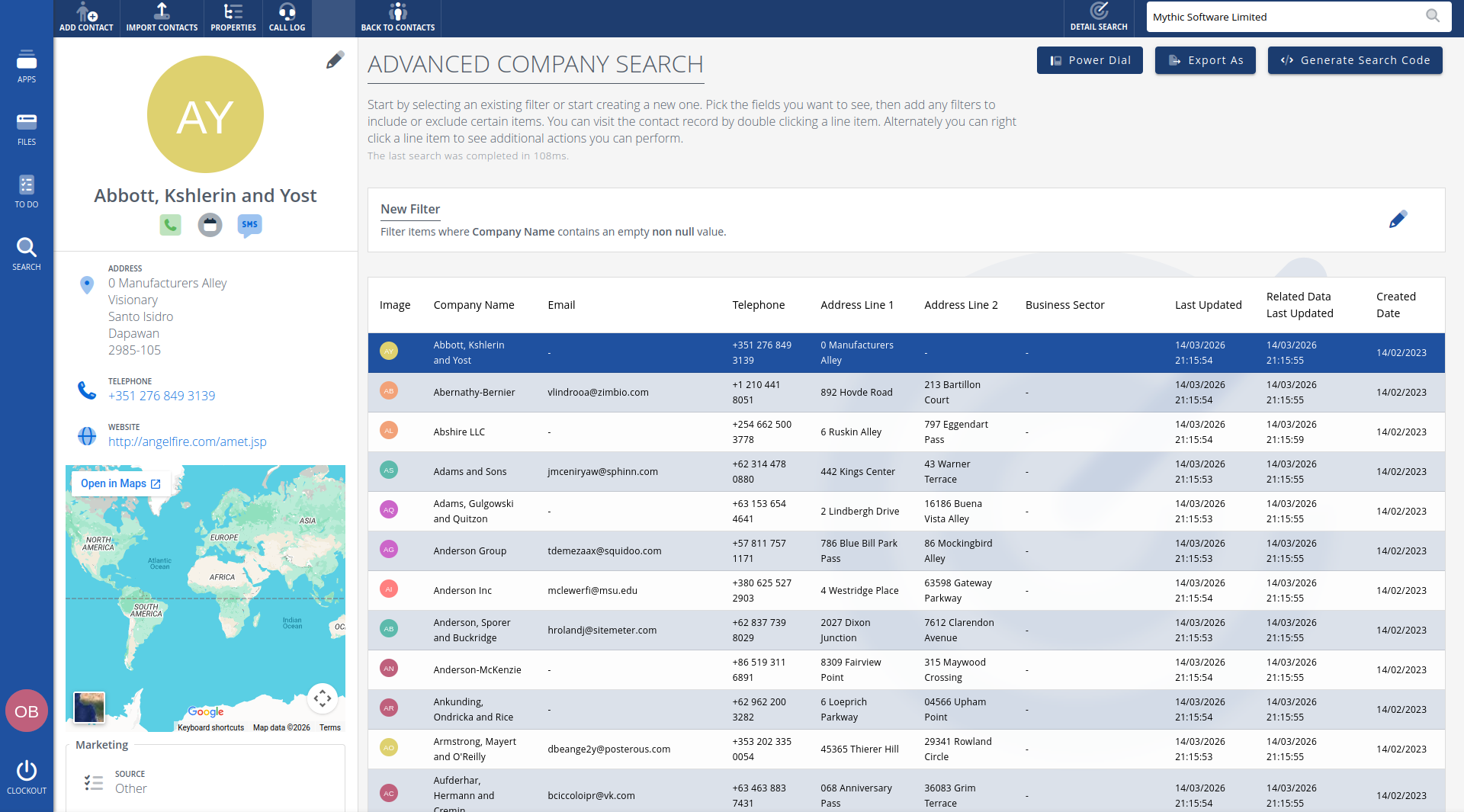
Advanced search & export.
Build complex queries across any contact field - standard or custom. Use operators like contains, starts with, equals, between, and more. Save your filters for quick access later. Export results to CSV or Excel with the columns you choose.
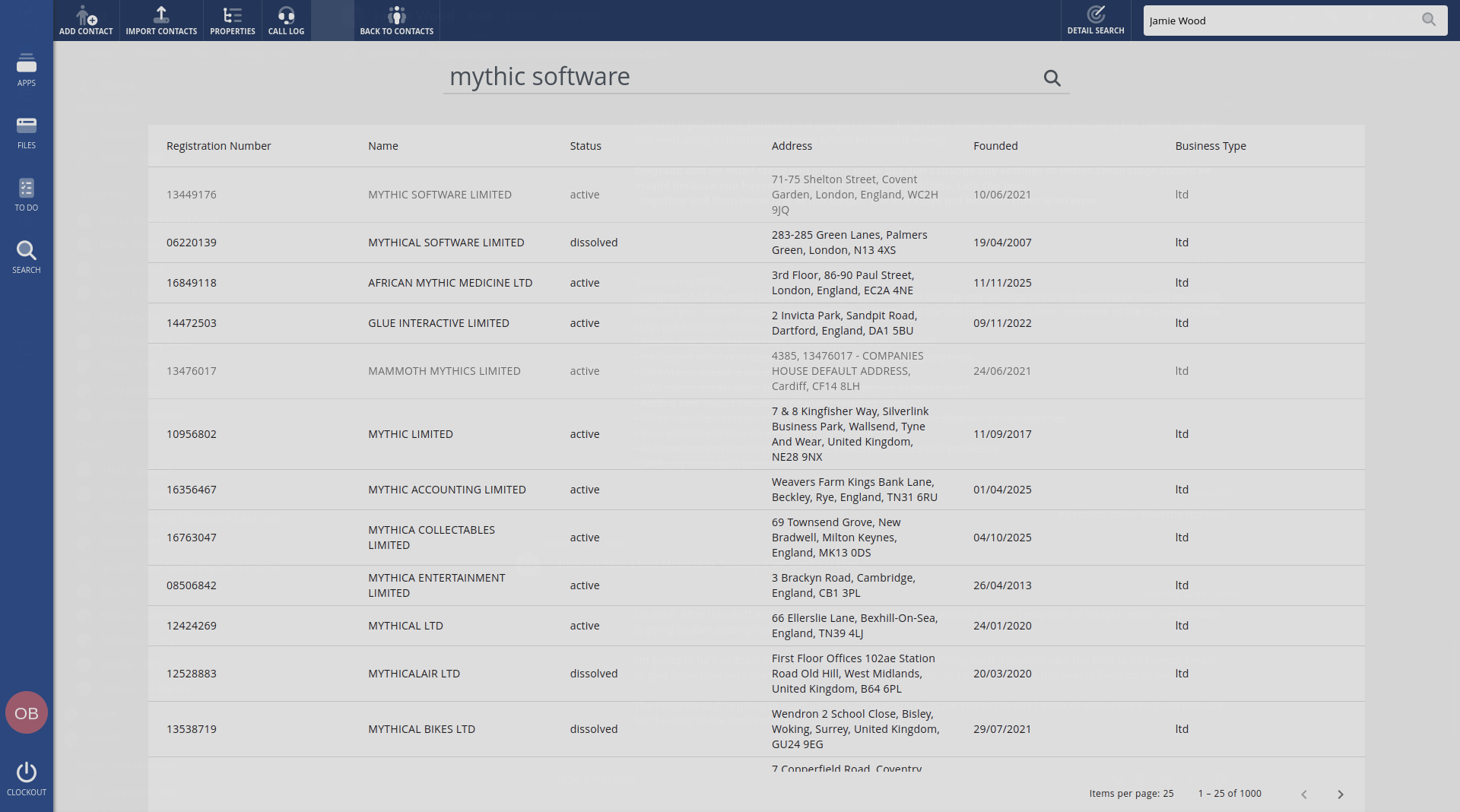
Companies House integration.
Add UK companies and their directors in seconds using a direct lookup from Companies House. Pull in registration details, filing history, financial data, SIC codes, and officer information. No manual data entry - just search by name or registration number.
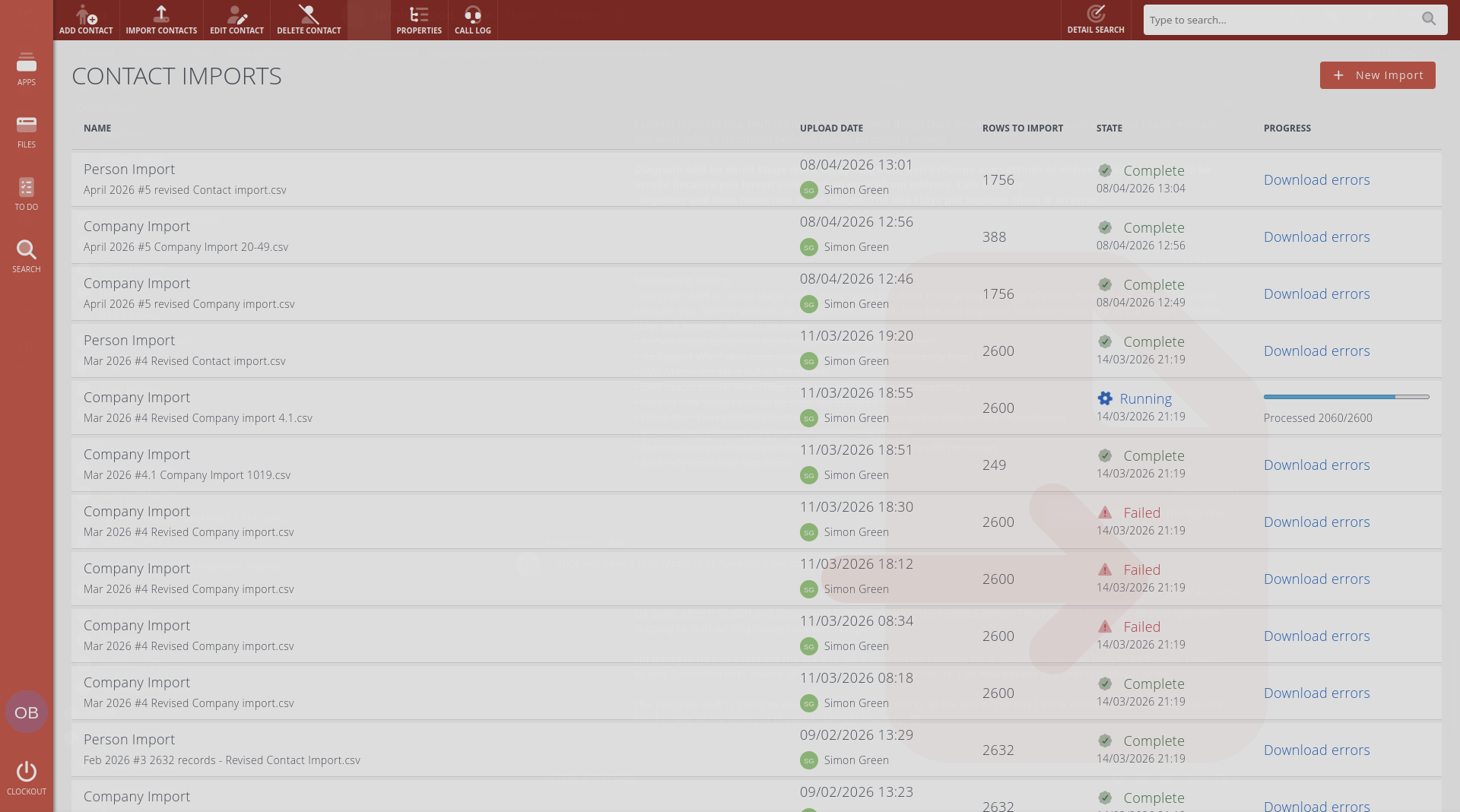
Bulk import with error handling.
Import contacts from CSV files with an interactive field mapping wizard. Map each column to the right CRM field, choose whether to auto-create missing companies, and decide how to handle duplicates. If something goes wrong, download a detailed error report showing exactly which rows failed and why.
Find and merge duplicates.
Every database picks up duplicates over time. The Find Duplicates page groups together the people and companies that look like the same record - matching on a shared phone number, email address, or similar name - and tells you why each group was matched. Review a set side by side, choose which record to keep, and decide field by field which details win.
The record you keep holds on to everything - notes, tags, emails, calls, sales, and cases all move across automatically - and every merge is recorded in its history. Mark lookalikes as "Not duplicates" and they'll stop appearing, while a nightly background scan quietly flags new ones as they crop up.
Tags and dead address protection.
Tag contacts with colour-coded labels for quick identification, filtering, and automation triggers. Email addresses that have bounced are automatically flagged with a visual warning - protecting your sender reputation across campaigns.
Extensible with plugins.
The plugin system can inject custom tabs into any contact profile. Need a specialist view for your industry? Build it as a plugin and it appears right alongside the standard tabs - timeline, emails, calls, cases, and everything else.
Full access for 14-days, get started today.
No credit card required.