
A full email client with POP3 and IMAP support, folder management, rules engine, and signatures - built into your CRM.
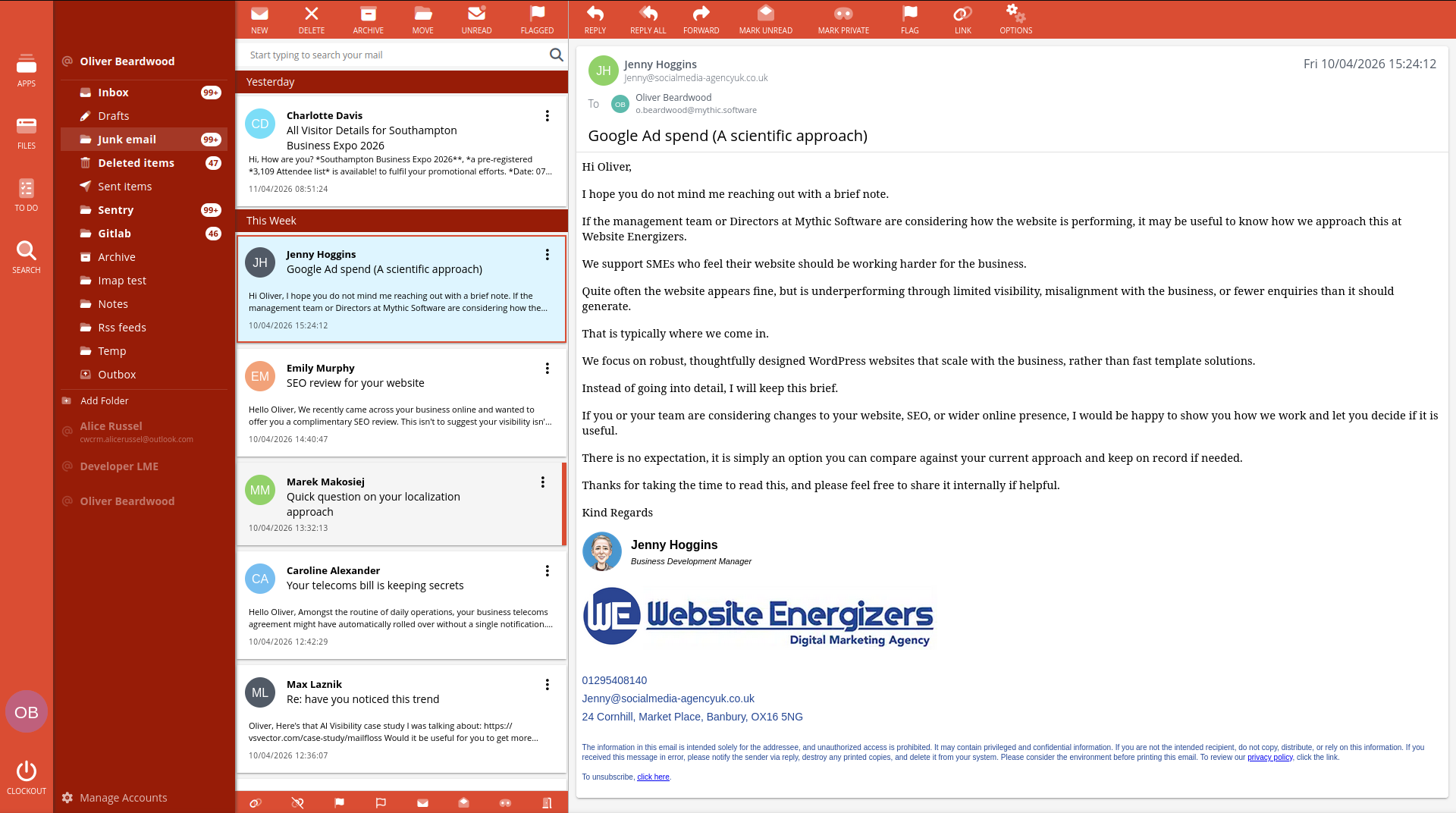
Your email, inside your CRM.
Connect your email accounts - Outlook, Gmail, Yahoo, iCloud, or any provider that supports POP3 or IMAP. Send and receive emails without leaving Clockwork CRM. Every email is automatically linked to the matching contact record and appears on their timeline.
Unlimited email accounts.
Add as many email accounts as you need. Connect Microsoft 365 and Outlook accounts using secure OAuth sign-in - no app passwords needed. Add an email signature to each account to keep your branding consistent across every email your team sends.
A modern email editor.
Compose, reply, and forward in a fast, modern rich-text editor. A floating formatting bar appears over whatever text you select, so you can change the font, size, weight, colour, and alignment on the fly. Insert a table and a floating toolbar lets you set borders, shade cells, and add or remove rows and columns right where you're working.
Signatures, your way.
Email signatures use the same editor. Build one visually with formatting, fonts, links, and images, or switch to the HTML view to paste or hand-write raw HTML that's stored exactly as you wrote it, with a live preview alongside. Designer-built, table-based signatures keep their layout instead of being reformatted.
Automatic contact linking.
Incoming and outgoing emails are automatically linked to the matching contact record. Click through from any email to the full contact record, or from any contact to their complete email history. No manual linking, no forwarding to a special address.
Folder management.
Your email folders sync from your provider. Organise, create, and manage folders directly within Clockwork CRM. Everything stays in sync - changes you make here reflect in your email provider and vice versa.
Email rules engine.
Set up rules to automatically process incoming emails. Define conditions - sender, subject, keywords - and choose actions: move to folder, mark as read, flag, or forward. Rules run in the background so your inbox stays organised without manual effort.
Default email client.
Set the Clockwork CRM email client as your default mail client. Any email links you click will automatically open Clockwork CRM, exactly like it would with desktop email clients.
Emails don't consume credits.
Sending and receiving emails through the email client is unlimited and doesn't count against your subscription's email send credits. Credits are only used for bulk marketing campaigns.
Full access for 14-days, get started today.
No credit card required.