
Schedule meetings, manage recurrence, track RSVPs, book resources, and connect two ways to your Microsoft or Google calendar.
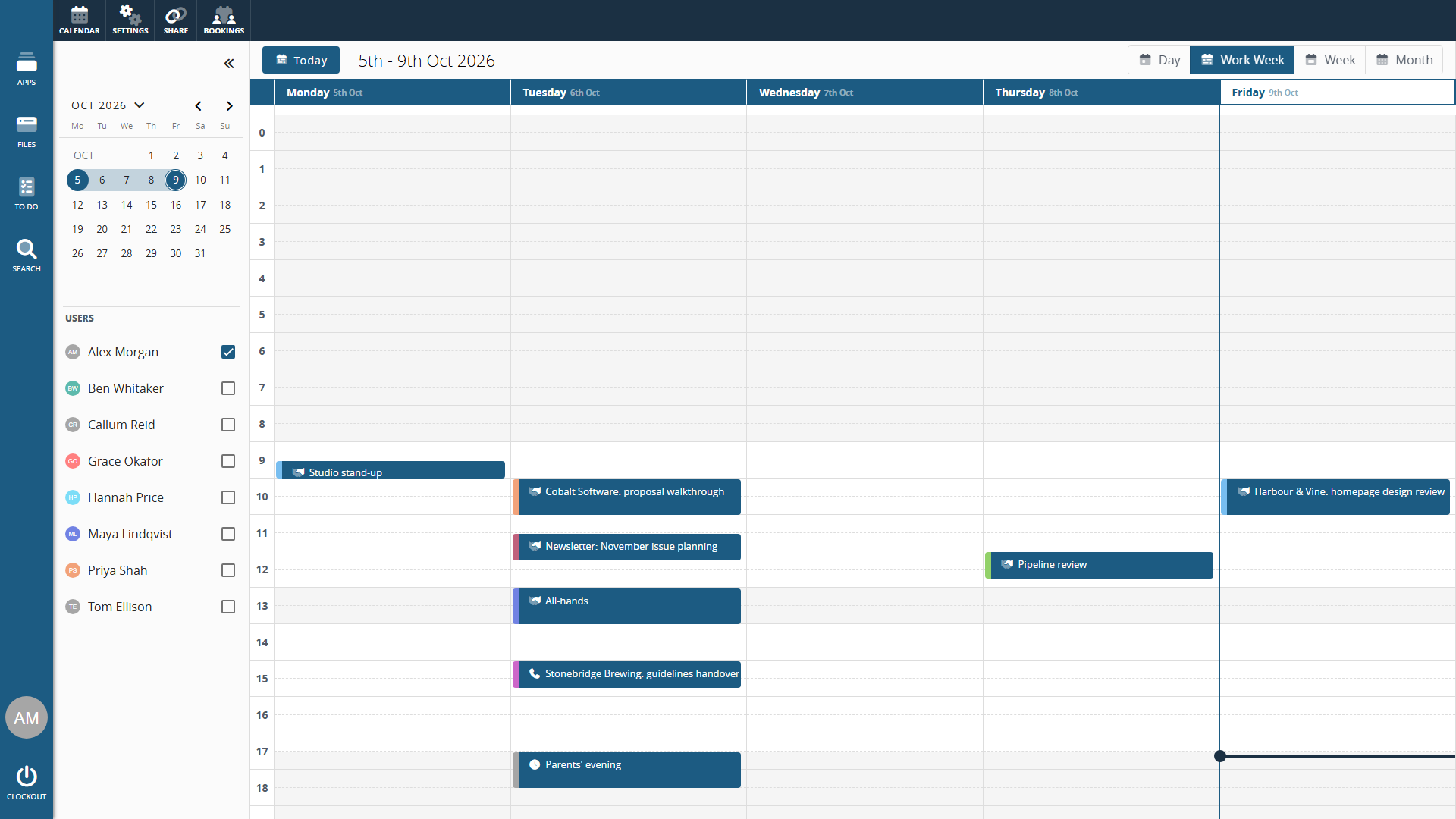
Schedule anything.
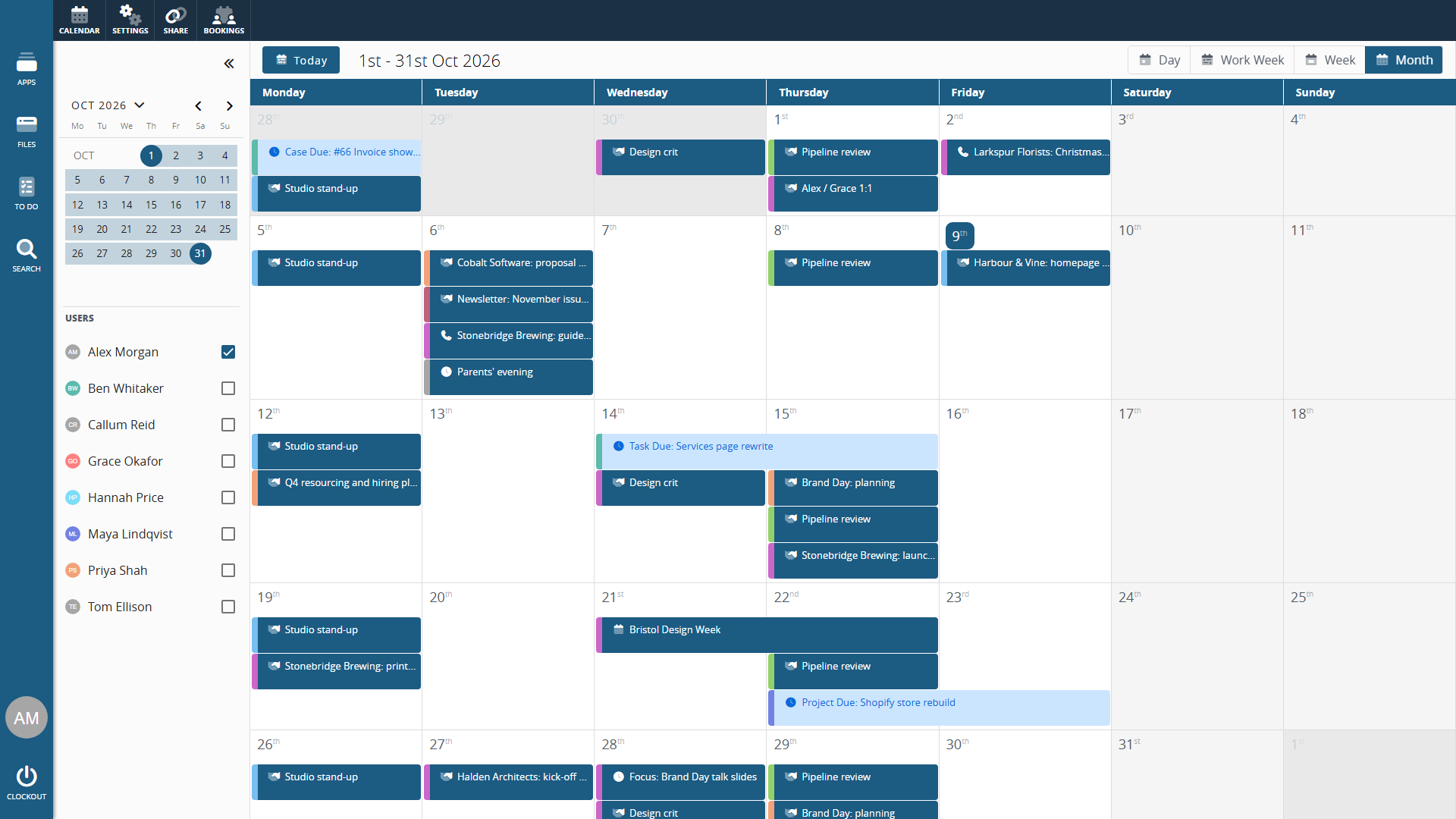
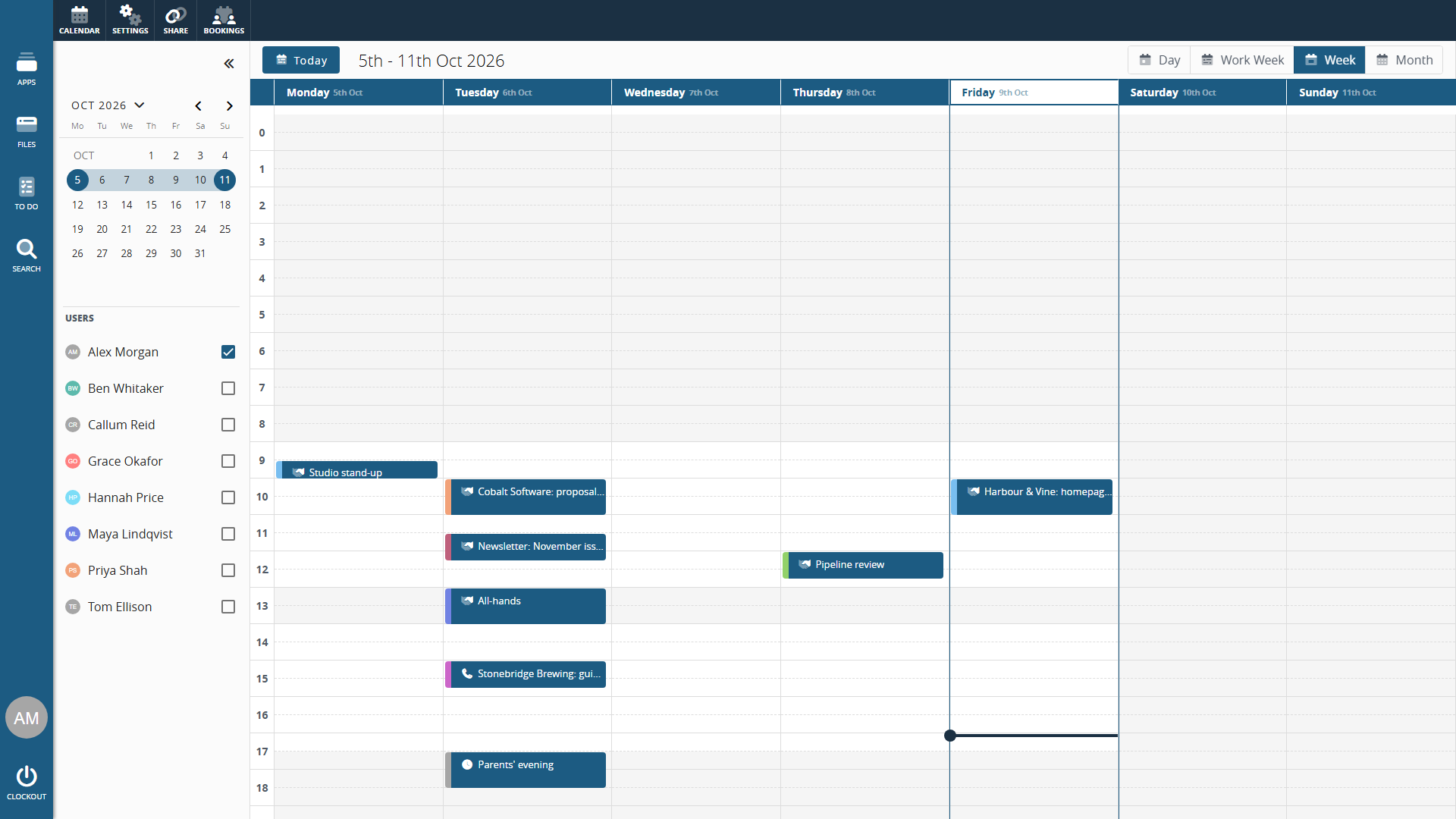
Create activities, events, meetings, and calls with full date and time control. Set start and end times, add a location or online meeting link, assign colours, and mark entries as private. Switch between day, work week, week, and month views.
Choose whether each entry shows you as busy, free, tentative, out of office, or working elsewhere. Outlook shows the same setting, and Google Calendar shows the entry as busy or free. Free and working elsewhere entries don't block online bookings or count against your capacity for project work.
Drag, drop, and resize.
Move an activity to a different time or day just by dragging it, and drag any edge to change its duration - all without opening the edit form. Need something new? Click and drag across any empty space to set the start and end time before the form even opens. It's the calendar you expect, and it feels instant.
All-day events, done right.
All-day events sit in a dedicated row at the top of the calendar rather than taking up a timed slot. A busy day stays tidy, and the current date lives in the URL - so any view can be bookmarked and shared with a colleague in a click.
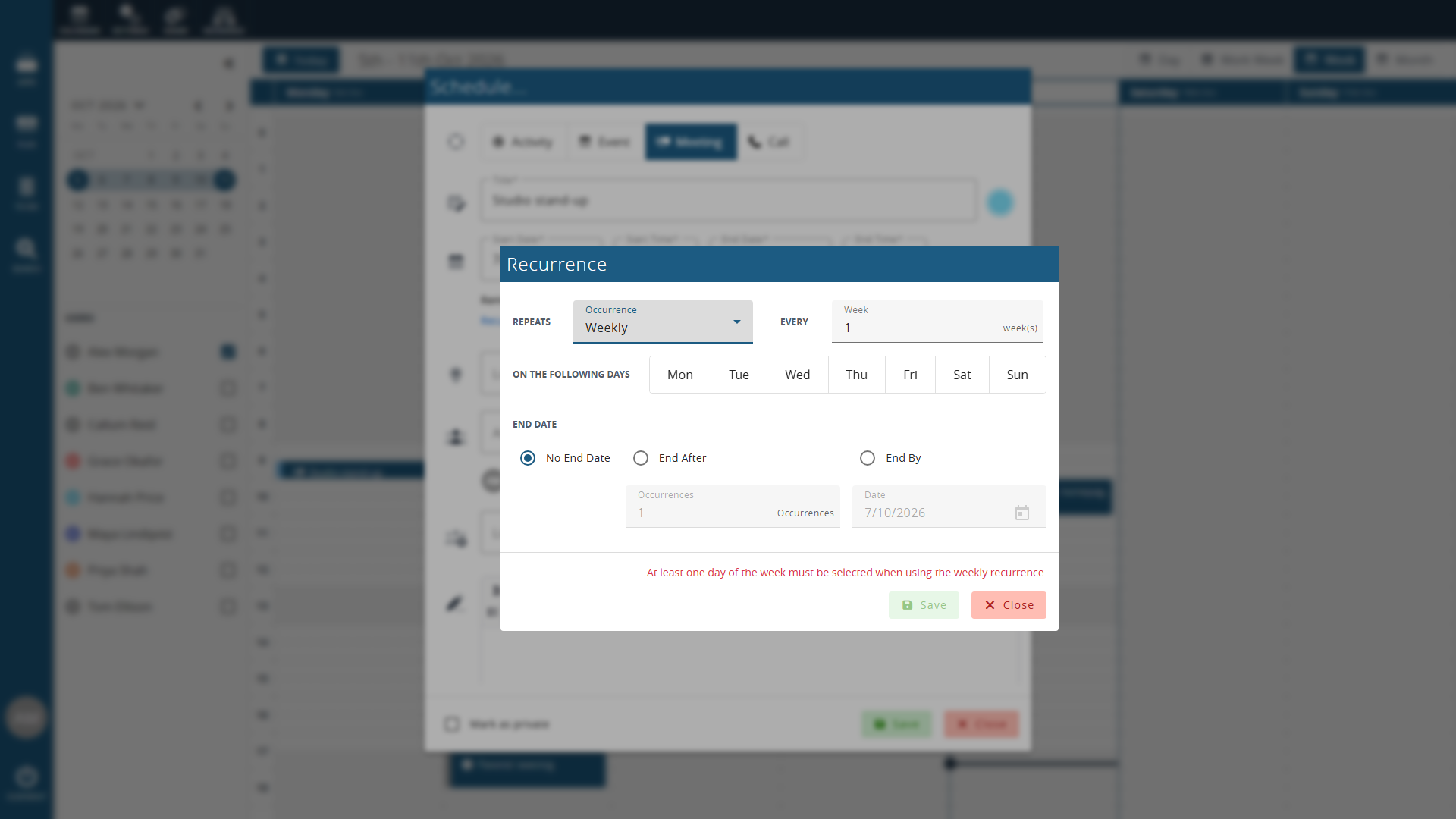
Recurrence that actually works.
Set events to repeat daily, weekly (with specific day selection), monthly (by date or by position - like "third Thursday"), or yearly. Define when the recurrence ends: never, after a set number of occurrences, or on a specific date. Cancel or modify individual occurrences without breaking the series.
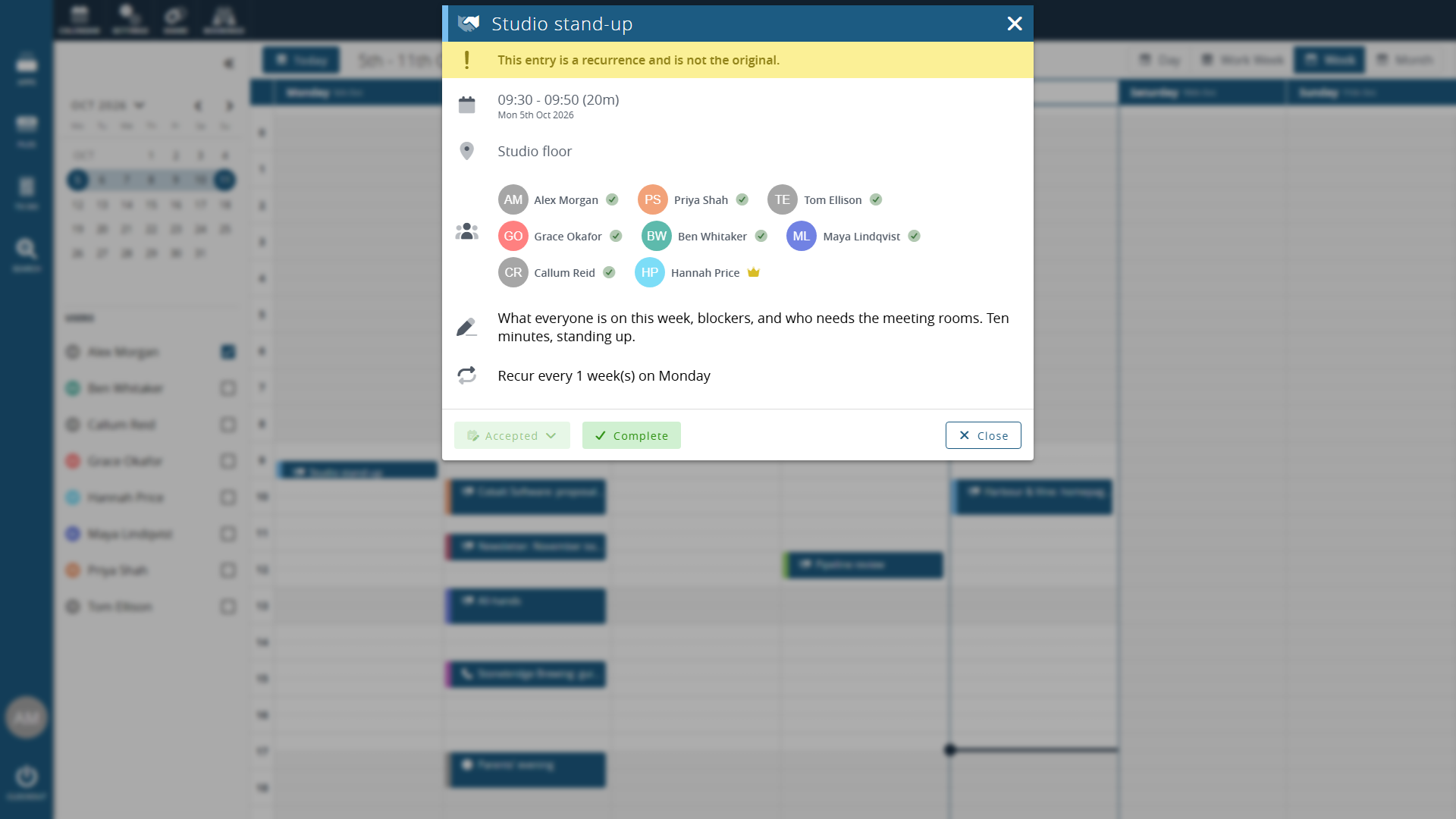
RSVPs and attendees.
Add people, companies, and team members to calendar entries. Track who's the organiser, who's attending, and who's responded. RSVP statuses update in real time so you always know who's coming.
ICS sharing.
Share your Clockwork CRM calendar as an ICS link that Outlook, Google Calendar, Apple Calendar, or any ICS-compatible tool can subscribe to. Choose what to share: everything, minimal details, or just when you're busy. Meeting invitations in your inbox can be accepted straight into your calendar.
Resource scheduling.
Book meeting rooms, equipment, or any shared resource alongside your calendar entries. Each resource tracks its own availability with start and end times per booking. No more double-bookings.
Two-way Microsoft and Google calendar connection.
Connect your Microsoft or Google calendar and the two stay in step. Entries in that calendar appear in Clockwork CRM, and entries you add in Clockwork CRM appear there too. When you schedule a meeting, add a Teams or Google Meet link in one click, and invitations go out through your connected calendar. Google calendar connection is in beta.
Customer appointments from your online booking links and approved holidays and absences show on the calendar too.
Personalise your calendar.
Choose your default view, time increments, and privacy. These settings are yours alone and don't affect anyone else on your team. Your working days and hours come from your HR record, set by an administrator, and the calendar shades your working time. Real-time updates mean if someone adds something to your calendar, you'll know about it instantly.
Full access for 14-days, get started today.
No credit card required.