
List, kanban board, Gantt chart, and analytics dashboard - with time tracking and cost analysis built in.
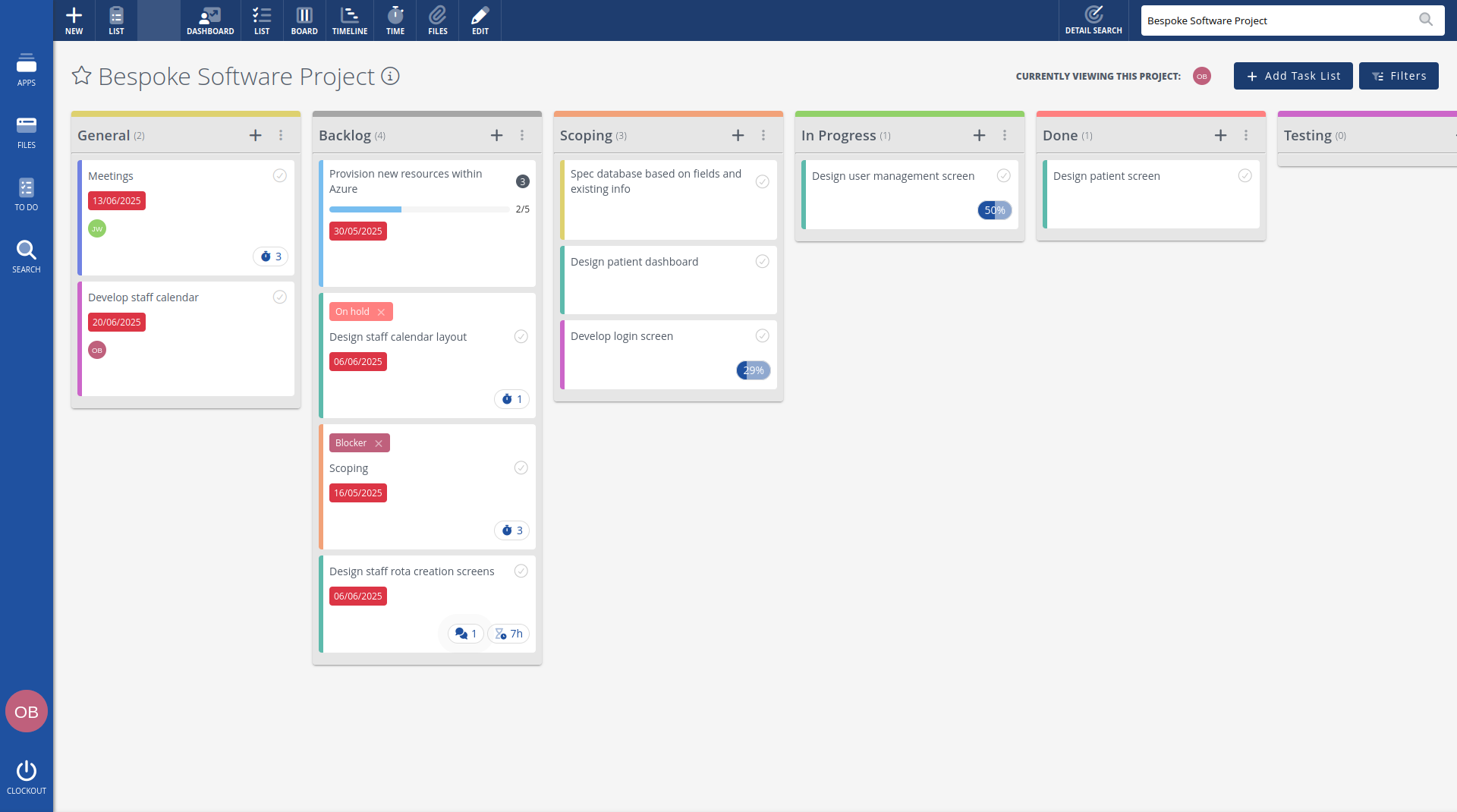
Board.
Manage your project with a kanban board. Add tasks, drag and drop them between columns and watch the progress flow. Real-time updates mean your whole team sees changes as they happen.
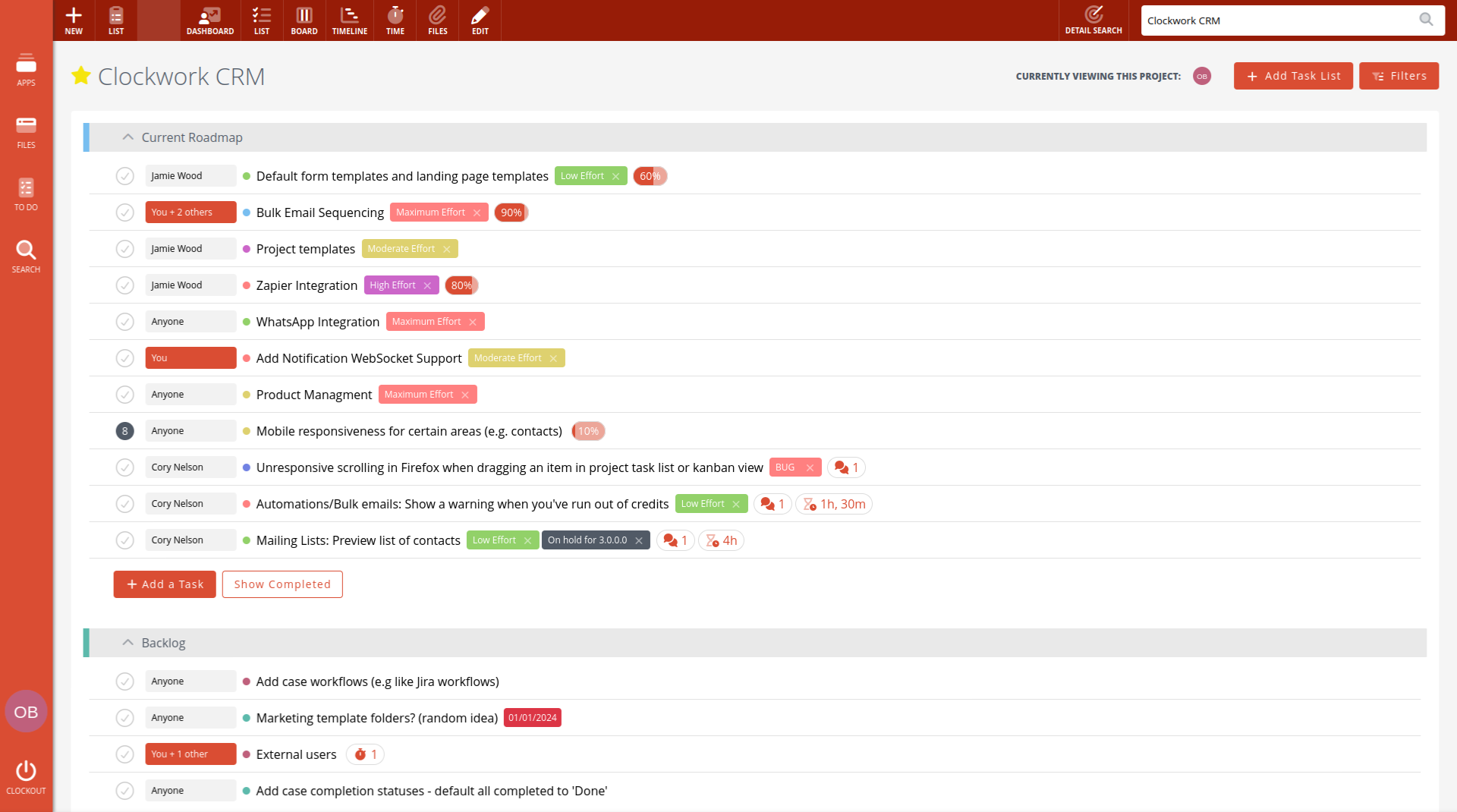
List.
View your project in a detailed list format. Drag and drop to reorder, nest subtasks under parent tasks, and manage everything at a glance. Colour-code tasks and lists for quick identification.
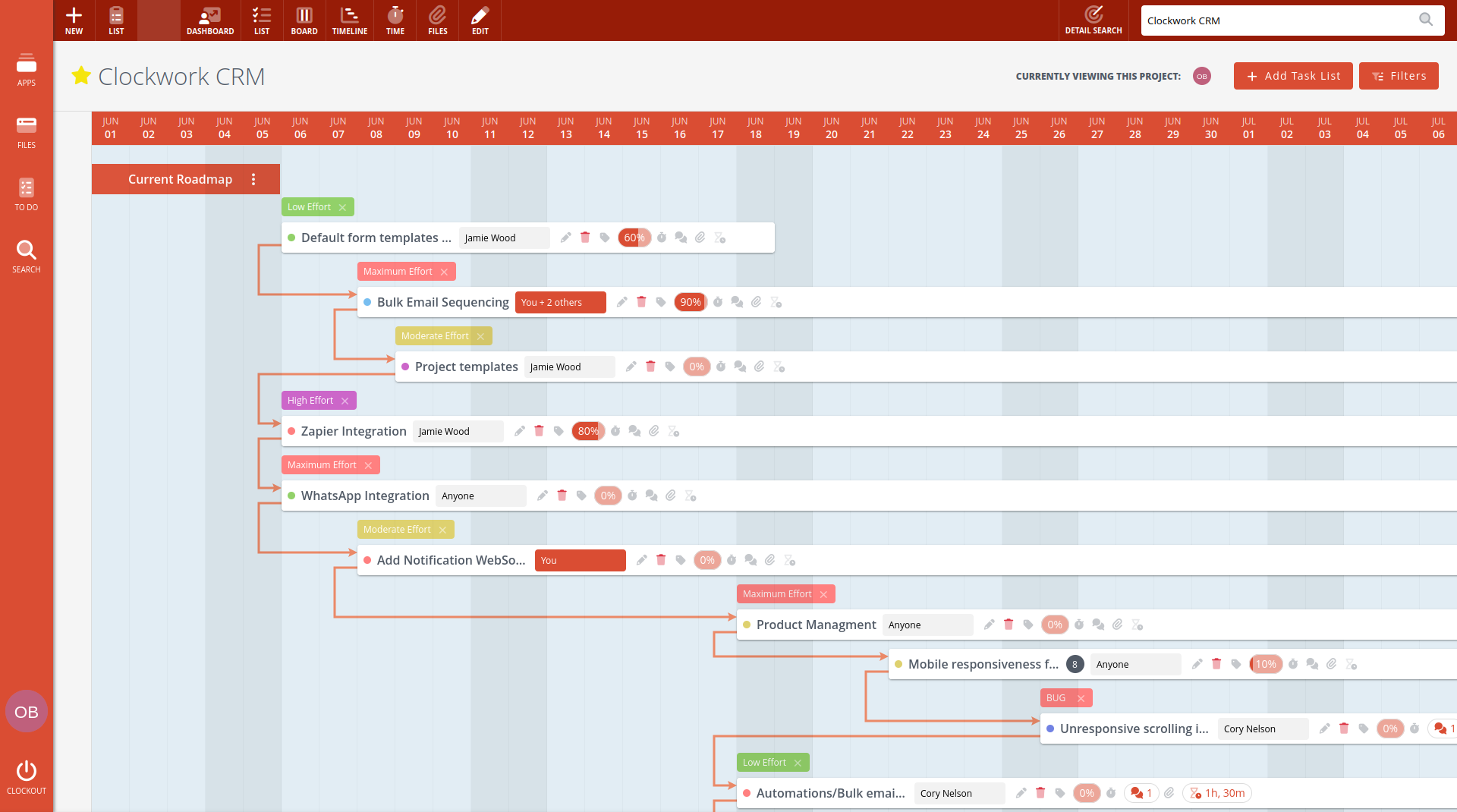
Gantt chart.
The timeline view lets you see each task with its due date on a visual timeline. Drag tasks to reschedule, view dependency lines between connected tasks, and make sure your project stays on track. Full task management is available directly from this view.
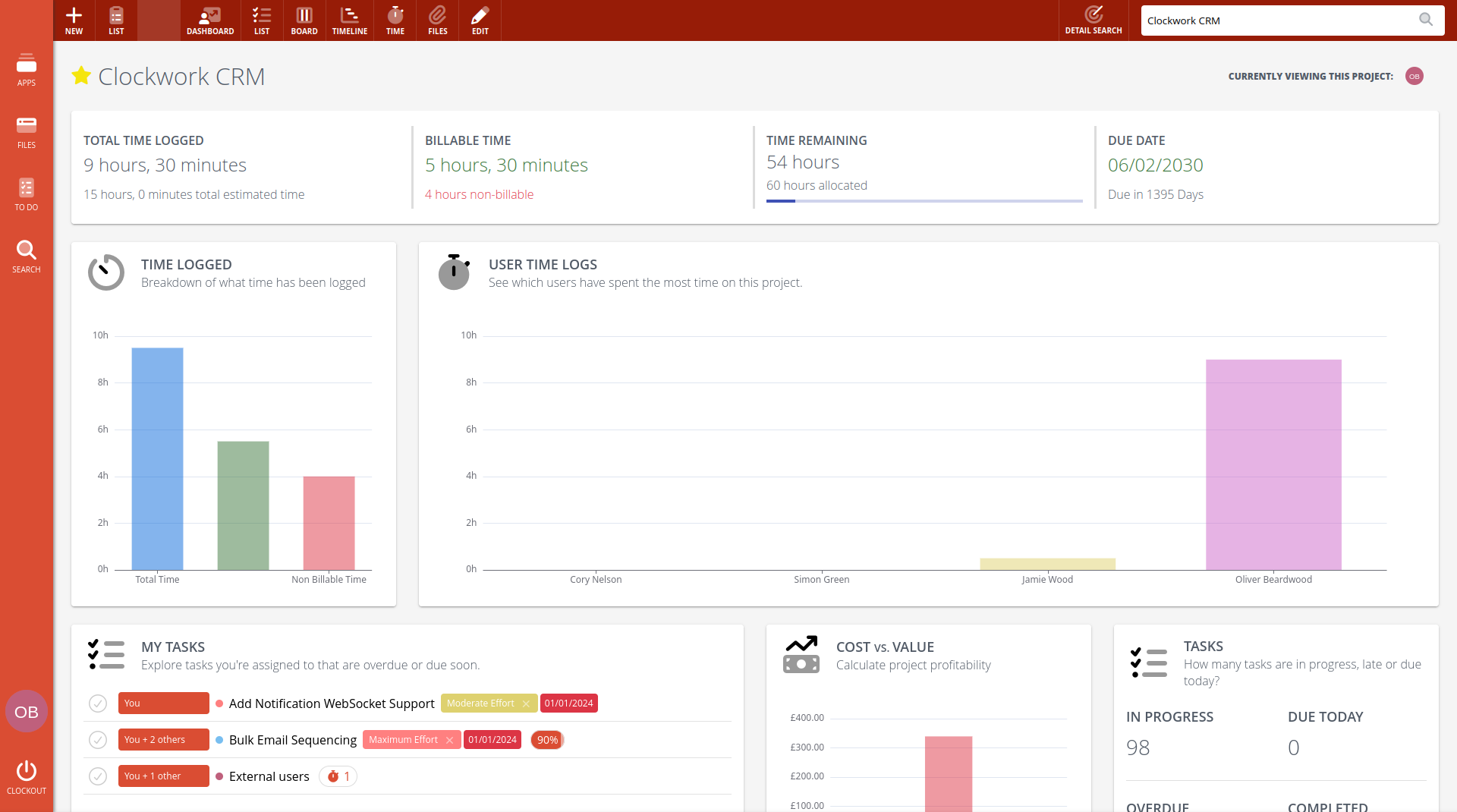
Time tracking.
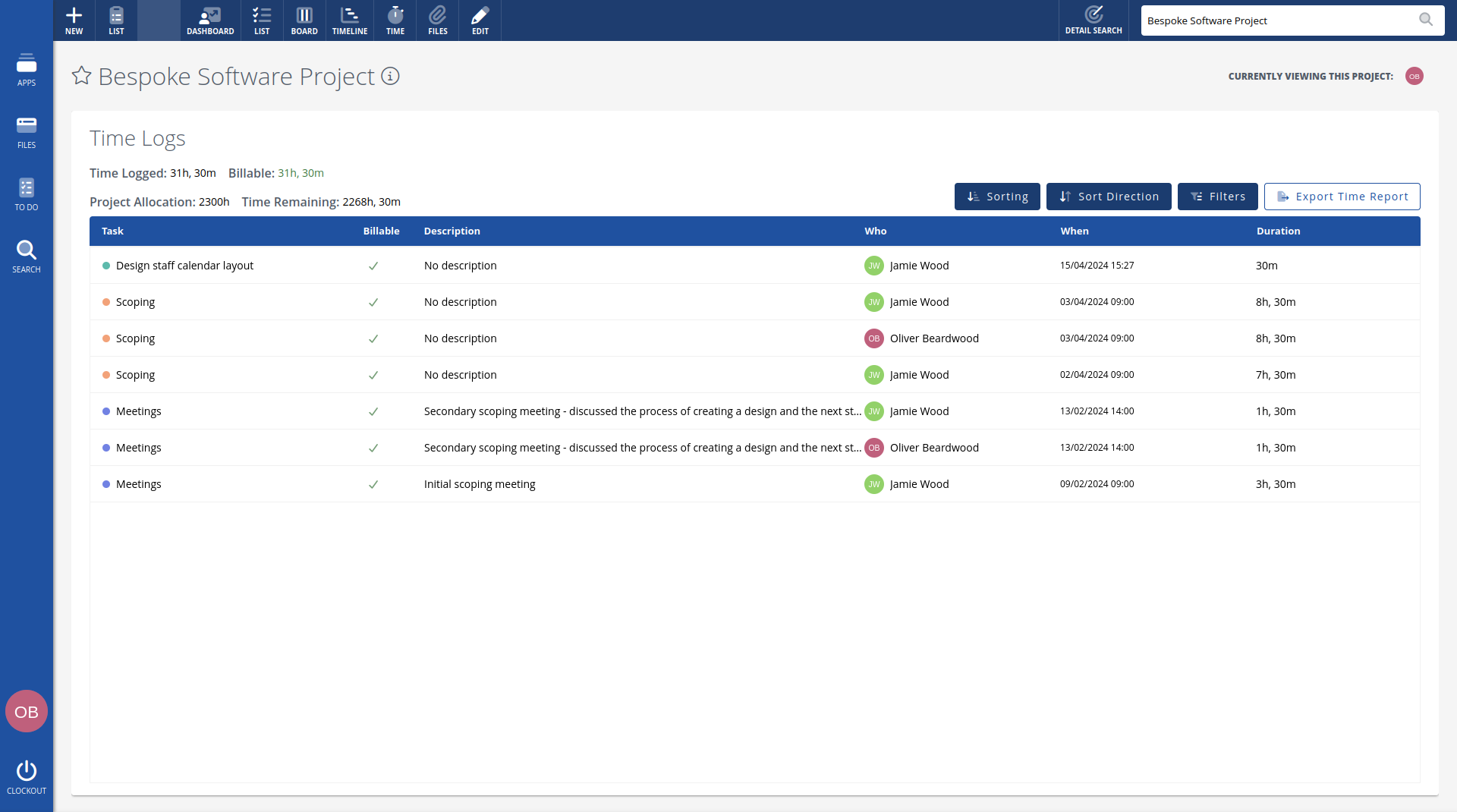
Log time against any task and mark it as billable or non-billable. Clockwork CRM calculates project costs automatically using each team member's day rate. Compare estimated time against actual time to spot overruns early.
Dashboard.
Use the project dashboard to keep track of profitability. View total, billable, and non-billable hours. See early warnings of tasks exceeding estimates. Track project value and per-task costs at a glance.
Real-time collaboration.
See who's viewing the project right now with live presence indicators. Comments, task updates, and status changes appear instantly for everyone. No need to refresh.
Powerful filtering.
Filter tasks by due date, created date, assigned users, tags, completion status, and whether you're following the task. Save any combination as a preset for quick access later.
Custom task fields.
Define your own task properties - text, number, currency, date, checkbox, select, multi-select, and relational fields that link to users, people, or companies. Scope a field to a single project or share it across every project, make it required, set defaults, and reorder with drag-and-drop. Your fields flow through to the editor, task summaries, the board, the Gantt view, and exports automatically.
Advanced task search.
The Detail Search button knows where you are - inside a project it switches to a powerful task search, scoped to that project. Filter across every standard field and your custom fields, save filters for later, and export results to CSV, Excel, or PDF. There's a public API for it too, reachable by any AI assistant.
My tasks.
See all tasks assigned to you across every project in one personalised list. Drag to reorder by your own priority. Your task list is yours alone - reordering doesn't affect anyone else's view.
Comments, files, and full history.
Attach files with version tracking. Discuss work in task-level comments. Every change is logged in a detailed audit trail so you always know who did what and when.
Full access for 14-days, get started today.
No credit card required.